
- Business Central
- AI implementation
- Systems integration
An ERP system has traditionally had a clear responsibility, record what happens inside a business. Sales are posted, purchases are recorded, inventory is updated, expenses are tracked, and financial statements are produced from the information stored within the system.
That role has not disappeared. Instead, it is expanding.
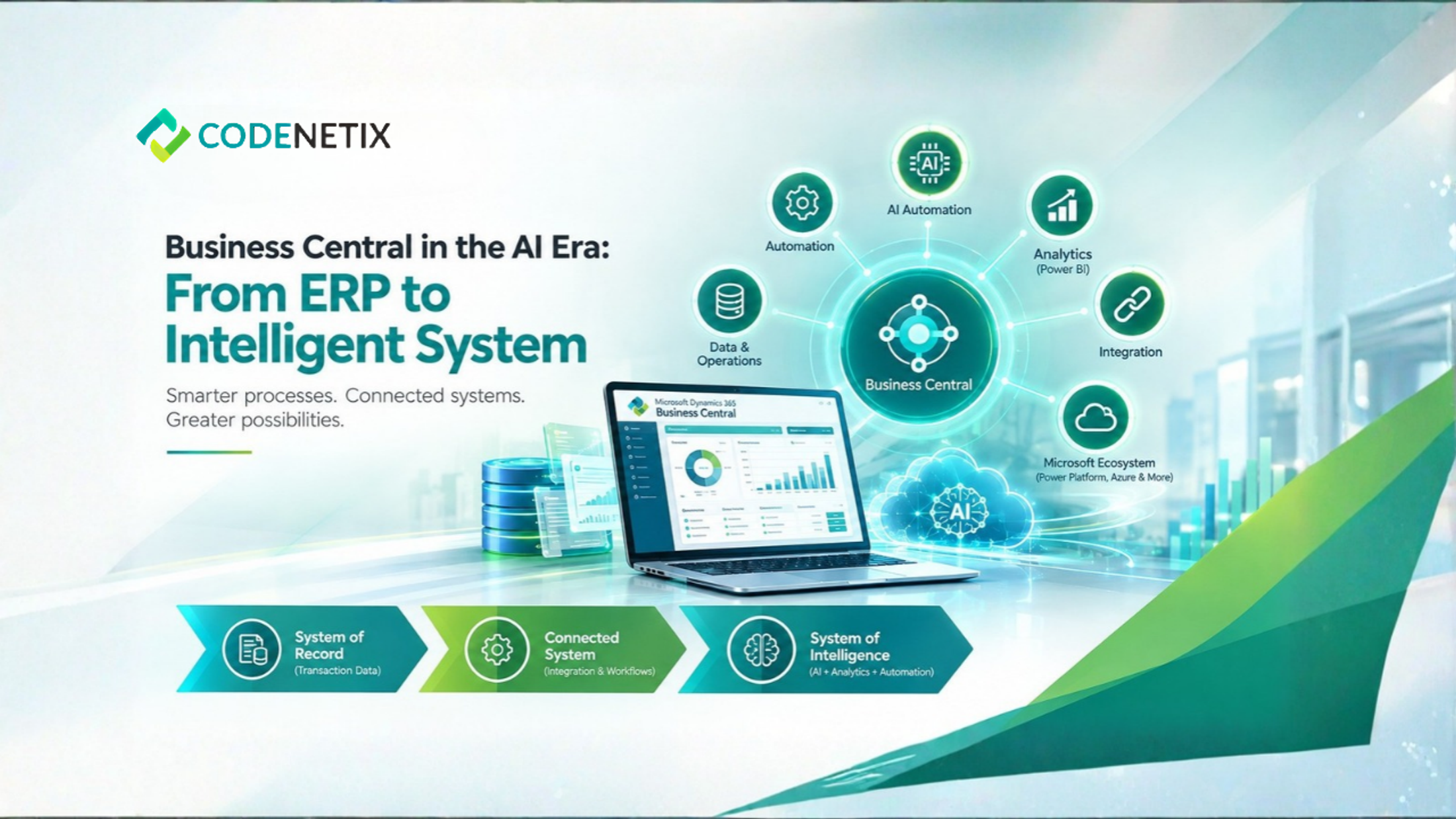
With artificial intelligence becoming part of business operations, Dynamics 365 Business Central can provide the foundation for a more connected environment where business information supports automation, reporting, workflows, and AI-assisted activities. Codenetix approaches Business Central as the finance and operations system of record, then extends that environment with AI implementation, automation, analytics, and systems integration where required.
The Traditional Role of an ERP
The starting point for any business central ERP implementation is establishing reliable business processes.
Codenetix begins with the operating model rather than treating software configuration as the first step. Finance, operations, and technology teams define how areas such as close, inventory, and order-to-cash should work before Business Central is configured around those requirements.
This creates the system of record.
Financial transactions have a defined home. Operational information follows established processes. Users work from the same underlying records instead of maintaining separate versions of critical information.
For many organizations, this alone represents a significant change from fragmented legacy environments.
Business Central as the Source of Business Information
Microsoft Dynamics 365 Business Central brings finance and operations into a common ERP environment. Codenetix describes Business Central as supporting financial management, supply chain, sales, and projects on one ledger.
That common foundation becomes increasingly important when businesses begin adding intelligence to their processes.
A recommendation, workflow, report, or assistant is only useful when it works with relevant business information. If sales data sits in one application, financial records in another, inventory information somewhere else, and reporting depends on manually combined spreadsheets, creating reliable AI-supported processes becomes more difficult.
A properly configured Microsoft Business Central environment provides a structured source from which these capabilities can be extended.
The Shift Toward Intelligent Workflows
The move from a system of record toward a system of intelligence does not mean that Business Central stops recording transactions. Instead, additional capabilities can work around the information already maintained by the ERP.
Codenetix's AI implementation and automation services include document processing, approval workflows, reconciliation, close activities, and reporting. AI assistants can be grounded in Business Central data and the close calendar, while workflows remain connected to the ERP.
This changes the role of the system.
Rather than simply answering what happened, connected workflows can help teams work with information already inside the ERP.
For example, document intelligence can support document-related processing. Approval automation can route activities through defined workflows. Reconciliation can become part of an automated process, while reporting can use information already held within the ERP environment.
The intelligence layer therefore grows from the system of record rather than existing separately from it.
Analytics Add Another Layer
Intelligence is also closely connected to how organizations use their business data.
Codenetix supports native Business Central analytics as well as enterprise Power BI and Business Central capabilities when broader reporting requirements exist.
This gives organizations another way to move from simply storing information toward understanding it.
Power BI can bring together information needed for management reporting and analytics, while Business Central continues to maintain the underlying financial and operational records.
The result is a connected relationship between transaction processing and business analysis.
Extending Business Central Through the Microsoft Ecosystem
The evolution does not happen inside the ERP alone. Codenetix works across Microsoft Power Platform, Power BI, Azure, Microsoft Entra ID, and Business Central as part of its Microsoft transformation services.
This wider environment can support applications, automation, analytics, identity, and cloud services around the ERP.
For organizations using the Microsoft Power Platform, workflows and applications can be connected to the wider Business Central environment. Codenetix also identifies Power Automate within its AI implementation and automation technology stack.
The purpose is not to add technology simply because it is available. Each extension needs to support a defined business requirement.
Integration Turns Records Into a Connected Picture
A system of intelligence also depends on information beyond the ERP.
Codenetix provides systems integration connecting Business Central with CRM, commerce, payroll, and analytics. Native Microsoft integrations are used where appropriate, while APIs and pipelines support non-Microsoft systems when required.
These connections allow information to move between business functions without relying entirely on manual transfers.
CRM-to-ledger, commerce-to-inventory, payroll-to-general-ledger, and analytics flows are among the integration areas described by Codenetix.
For the ERP, this means the system of record becomes part of a wider connected business environment.
Intelligence Still Needs Control
Moving toward AI does not remove the need for governance.
Codenetix describes an audit trail for AI-supported activities, with document, approval, and reconciliation workflows remaining on the ERP. Assistants are grounded in Business Central information, and AI releases are scoped so an operating committee can measure their impact.
This approach keeps intelligence connected to the controls surrounding the underlying records.
For finance teams, that distinction matters. An intelligent ERP still needs reliable information, defined workflows, user permissions, testing, and traceability.
What Business Central Becomes in the AI Era
The evolution of ERP Dynamics 365 Business Central is therefore not a replacement of the system-of-record model. It is an extension of it.
The result is a progression from recording business activity to making that information more useful across the organization.
For companies already using Dynamics 365 Business Central, the AI era does not require abandoning the system that holds their core business records. Instead, the opportunity lies in extending those records with analytics, automation, integrations, and AI-supported workflows while keeping the ERP at the center of the operating environment.